How to Write Perfect AI Image Prompts: Complete Guide
Creating stunning AI-generated images starts with writing effective prompts. Whether you're using Bladdit, Midjourney, DALL-E, or Stable Diffusion, mastering prompt engineering will dramatically improve your results. In this comprehensive guide, we'll cover everything you need to know about crafting the perfect AI image prompts.
What is Prompt Engineering?
Prompt engineering is the art and science of crafting text descriptions that guide AI models to generate specific images. Think of it as giving detailed instructions to an incredibly talented artist who can create any visual you describe — but only if you describe it correctly.
The better your prompt, the closer the output will match your vision. A vague prompt like "a cat" will give you a random cat image, while a detailed prompt can create exactly the cat scene you imagined.
Key Components of Effective Prompts
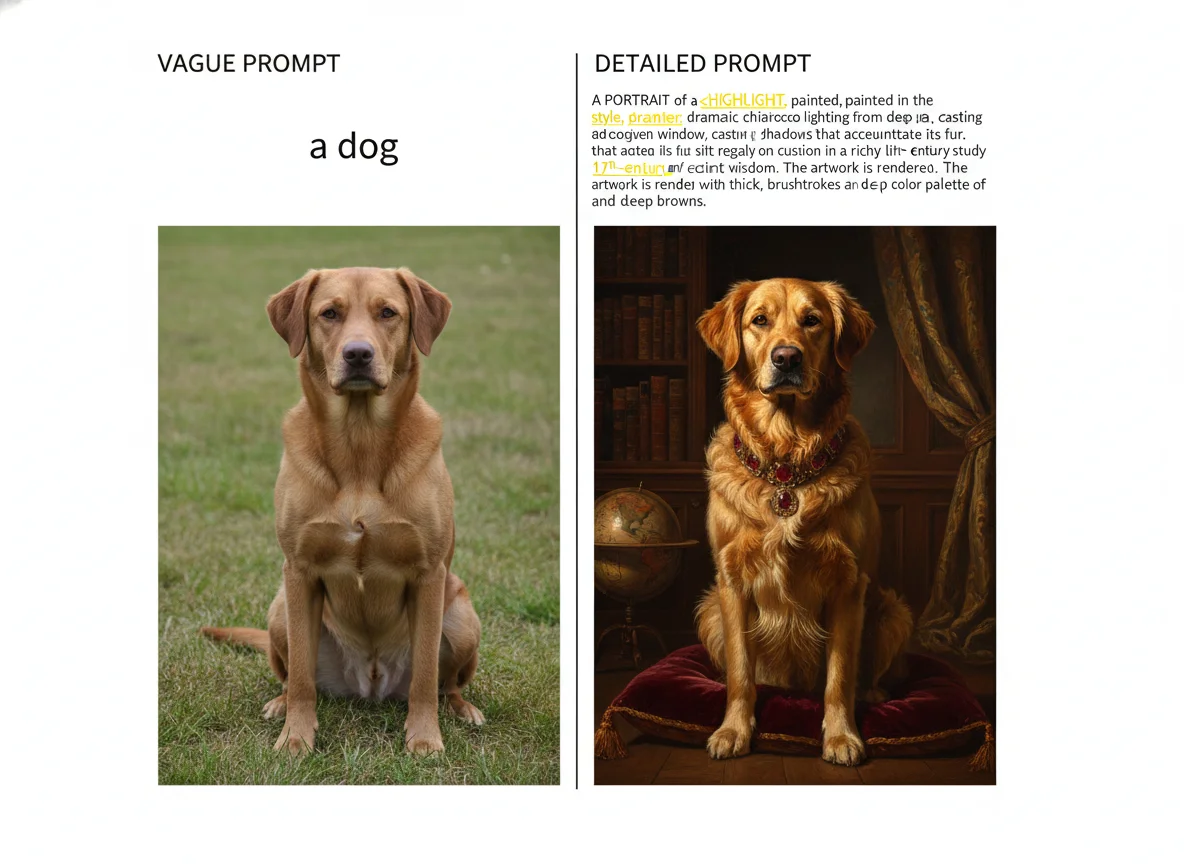
Every great AI image prompt contains several key elements. Here's a formula that works:
[Subject] + [Action/Pose] + [Setting/Background] + [Style] + [Lighting/Mood] + [Technical Details]
1. Subject Description
Start with your main subject. Be specific about what you want to see. Instead of "a woman," try "a young woman with curly red hair and green eyes, wearing a vintage blue dress." The more details you provide, the more control you have over the output.
2. Action or Pose
Describe what your subject is doing. "A samurai warrior meditating in a zen garden" creates a very different image than "a samurai warrior in mid-battle stance." Dynamic poses often create more engaging images.
3. Setting and Background
Context matters enormously. A "portrait in a coffee shop" feels different from a "portrait in a mystical forest at dawn." Consider time of day, weather, and environmental details to enhance your scene.
4. Art Style
Specify the visual style you want: photorealistic, digital art, oil painting, anime, watercolor, 3D render, pixel art, etc. You can also reference specific artists or art movements for inspiration.
5. Lighting and Mood
Lighting transforms images. Terms like "golden hour lighting," "dramatic rim lighting," "soft diffused light," or "neon glow" significantly impact the mood. Don't overlook this crucial element.
Example Prompts
Portrait Photography:
"Professional portrait of a confident businessman with salt-and-pepper hair, wearing a tailored navy suit, warm natural lighting, shallow depth of field, modern office background, shot on Canon 85mm f/1.4, editorial style"
Fantasy Art:
"Majestic dragon perched on ancient ruins at sunset, iridescent scales reflecting purple and gold light, mystical forest in background, digital art style, highly detailed, cinematic composition, fantasy concept art"
Product Photography:
"Luxury perfume bottle with golden accents, floating on water surface with flower petals, soft studio lighting, reflection visible, minimalist white background, commercial product photography, 8k"
Common Mistakes to Avoid
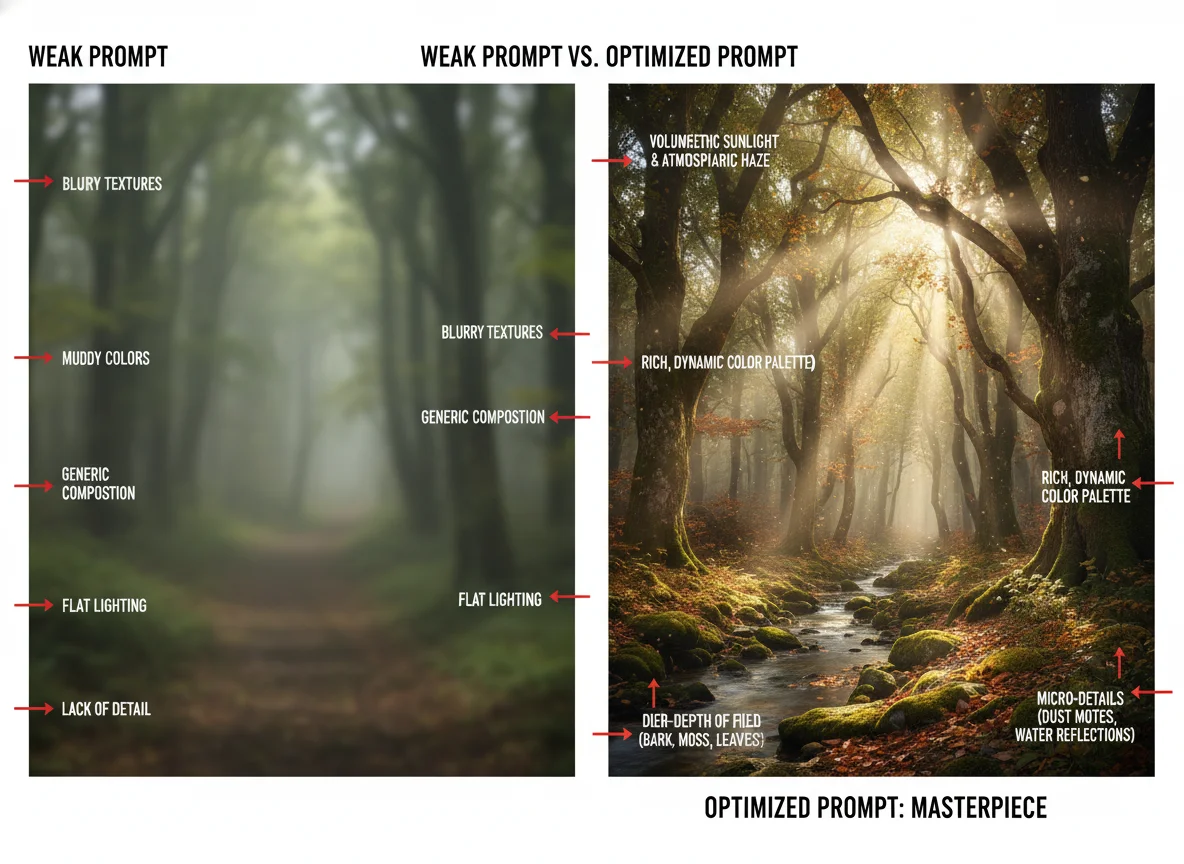
- Being too vague: "A nice picture of a house" won't give you control over the result.
- Conflicting instructions: "Dark shadowy scene in bright daylight" confuses the AI.
- Overloading with details: Too many elements can create chaotic images.
- Forgetting style: Without style guidance, outputs may look generic.
Pro Tips for Better Results
- →Start simple, then add details in iterations
- →Use quality boosters: "highly detailed," "professional," "8k," "masterpiece"
- →Reference specific camera equipment for photorealistic images
- →Save successful prompts as templates for future use
- →Experiment! The best way to learn is through practice
Start Creating Today
Now that you understand the fundamentals of prompt engineering, it's time to put your knowledge into practice. Remember, the key to mastering AI image generation is experimentation. Each prompt teaches you something new about how the AI interprets your instructions.
Head to our AI Image Generator and start creating stunning images with your new prompt engineering skills. It's completely free — no signup required!
Ready to Try Your New Prompts?
Generate stunning AI images for free with Bladdit.
Start Creating Free →